
Affiliate disclosure: AI Tools Vetted is reader-supported. Some links below are affiliate links (marked “sponsored”): if you sign up through them, we may earn a commission at no extra cost to you. Our Grammarly, QuillBot and Jasper links are affiliate links. Both free plans are covered too, and we say when a free plan is enough. Picks follow official pricing and published features, not commissions.
Prices checked October 24, 2026, at 01:09–01:13 BRT on each vendor’s official US pricing page (USD).
Quick picks
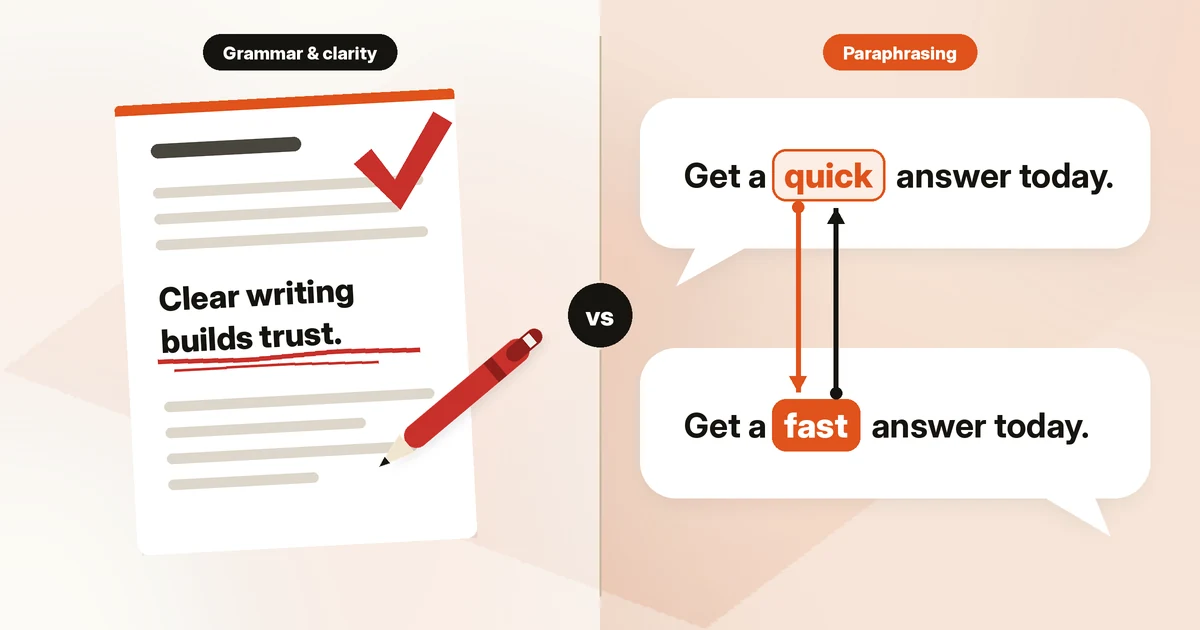
Grammarly is the better pick if you mainly need your own writing corrected and clarified. QuillBot is the better pick if you mainly need to reword, summarize or cite sources, and it’s the cheaper subscription. Both now sell plagiarism checks and AI detection, and neither vendor claims those are definitive.
The rest of this page shows where each one’s strength sits, what the free plans include, what the paid plans cost on October 24, 2026, and when a long-form generator like Jasper is the better tool.
Verdict in 30 seconds
- Pick Grammarly if you write emails, reports or client copy and want corrections, tone adjustments and full-sentence rewrites as you type across apps.
- Pick QuillBot if you rework existing text: paraphrasing in several modes, summarizing long sources and generating citations. Premium costs $8.33/mo on annual billing.
- Use both if you draft by rewording sources (QuillBot) and then polish for grammar and tone (Grammarly). The free plans allow that combination at $0.
- Pick neither for full drafts. If you need an AI to generate long-form marketing content from a brief, a generator like Jasper is the closer fit (see below).
Side-by-side comparison
| Grammarly | QuillBot | |
|---|---|---|
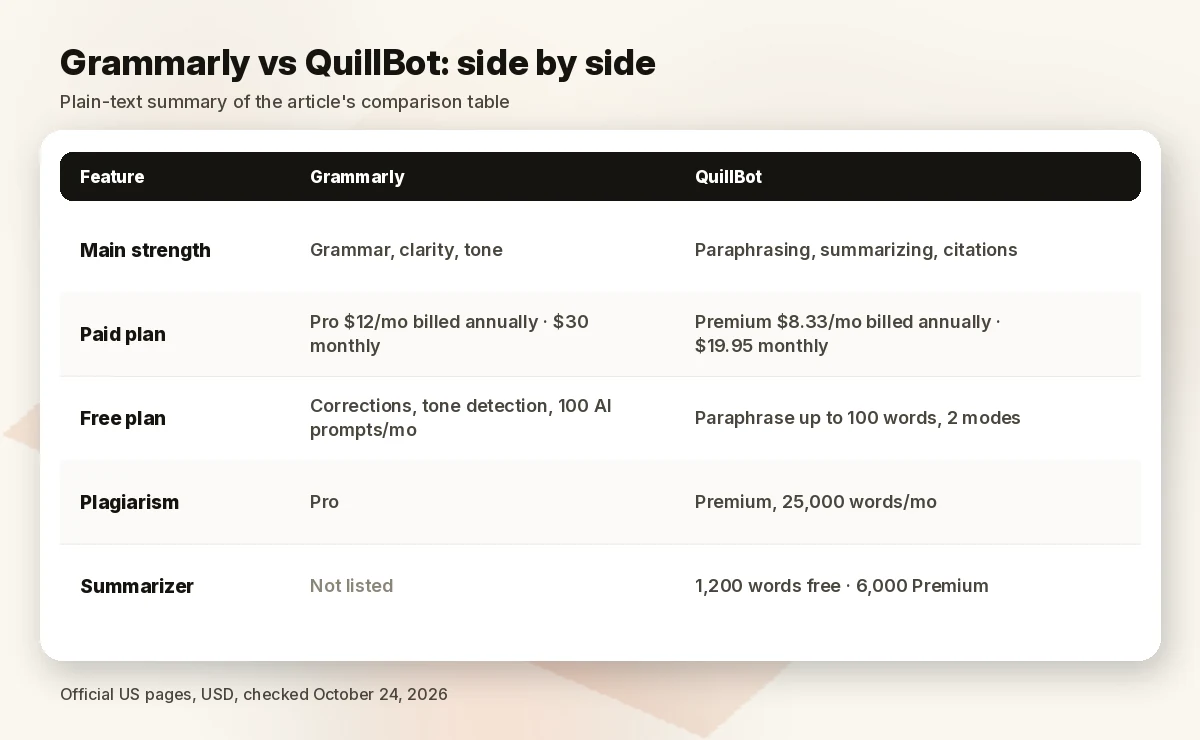
| Main strength | Grammar, clarity, tone | Paraphrasing, summarizing, citations |
| Free plan | Corrections, tone detection, 100 AI prompts/mo | Paraphrase up to 100 words, 2 modes, basic grammar, summaries up to 1,200 words |
| Paid plan | Pro $12/mo billed annually; $30 monthly (from the plans page’s embedded checkout data; the screen shows only $12) | Premium $8.33/mo billed annually; $19.95 monthly |
| Rewriting on paid plan | Full-sentence rewrites, tone adjustment | 9 paraphrase modes plus unlimited custom modes |
| Plagiarism check | Pro (“catch accidental plagiarism”) | Premium, 25,000 words/month |
| AI detection | Free AI Detector tool; Pro adds AI detection in the editor | Free AI Detector (limited, 1,200 words/scan); full access on Premium |
| Summarizer | Not listed on the plans page | 1,200 words free; 6,000 words Premium |
| Team options | Pro for teams: 1 style guide, 1 brand tone, team analytics; Enterprise via sales | Team Plan (price not shown); 5+ members get a volume discount |
| Links | Check Grammarly price | Check QuillBot price |
Features and limits as listed on each official plans page. Sources at the end.
Grammar and clarity: Grammarly’s strength
Grammarly (Check Grammarly price) is built around correcting and improving text you wrote yourself. Its plans page compares three tiers:
- Free ($0): “write without mistakes,” see your writing tone, and 100 AI prompts a month.
- Pro: everything in Free plus adjusting tone, rewriting full sentences, writing fluently in English, inclusive-language suggestions, keeping citations consistent, AI-text detection, catching accidental plagiarism and 2,000 AI prompts per member per month. For teams, Pro includes one style guide, one brand tone, two user groups, team analytics and priority support.
- Enterprise: custom pricing through sales, with unlimited prompts, SAML SSO, SCIM, data loss prevention, BYOK key management and unlimited style guides and brand tones.
On pricing, the plans page shows Pro at $12/mo with a free trial (“$0 payment today,” with an email reminder two days before the trial ends). The checkout plan data embedded in the same page lists Pro at $144 a year, $60 a quarter or $30 a month — so the $12 figure is the annual rate. The trial length isn’t stated on the plan card; check it at checkout.
Where Grammarly fits best: work email, client-facing copy, reports, and non-native English writers who want fluency suggestions. Where it’s weaker for this comparison: the plans page doesn’t list a summarizer, and paraphrasing isn’t the core product the way it is at QuillBot.
Paraphrasing, summarizing and citing: QuillBot’s strength
QuillBot (Check QuillBot price) — “a Learneo, Inc. business,” per its site footer — started as a paraphraser and still leads with it. Its Premium page lists:
- Free ($0): paraphrase up to 100 words in two modes (Standard and Fluency), basic grammar fixes, humanize up to 100 words with limited usage, basic summaries (up to 1,200 words) and limited AI Detector access.
- Premium: full paraphrasing in 9 built-in modes plus unlimited custom modes, mode comparison, paraphraser history, advanced grammar suggestions, tone insights, plagiarism checks up to 25,000 words a month, custom summaries up to 6,000 words, full AI Detector access and 100 MB of document storage in QuillBot Flow (10 MB free).
The comparison table also lists paraphrasing in 23 languages, translation into 40+ languages, grammar correction in 6 languages and a citation generator. QuillBot notes that usage limits apply and may vary by surface.
Pricing on October 24, 2026: $19.95/mo month-to-month or $8.33/mo billed annually, which QuillBot labels “58% off.” Premium works on all your devices, up to 10 at a time; you can pause a subscription from your account page instead of cancelling, and you can pay by card or PayPal. Teams of five or more get one invoice with a volume discount.
Where QuillBot fits best: students and researchers summarizing sources, writers who need several ways to phrase a sentence, and content teams adapting copy for different channels. Rewording text you didn’t write still means citing the source — QuillBot sells a citation tool for exactly that reason.
Pricing and free plans
| Plan | Grammarly | QuillBot |
|---|---|---|
| Free | $0 — corrections, tone detection, 100 AI prompts/mo | $0 — 100-word paraphrases, 2 modes, basic grammar, 1,200-word summaries |
| Paid, annual billing | Pro $12/mo ($144/yr) | Premium $8.33/mo |
| Paid, quarterly | Pro $60/quarter | Not shown on the Premium page |
| Paid, monthly | Pro $30/mo | Premium $19.95/mo |
| Team | Pro per member; Enterprise via sales | Team Plan (price not shown); 5+ members volume discount |
QuillBot is cheaper on both annual and monthly billing. Grammarly’s free plan is the stronger free grammar checker of the two on paper (Grammarly’s core product versus QuillBot’s “basic grammar errors”), while QuillBot’s free plan is the only one of the two that includes a summarizer.
AI detector and plagiarism claims: what the vendors say
Both companies sell AI detection and plagiarism checking, and both pages carry vendor claims you should read in full:
- Grammarly says its AI Detector “achieves 99% detection accuracy and ranks #1 on RAID’s independent benchmark.” The same page’s FAQ says “no AI detector is 100% accurate,” that detectors cannot conclusively determine whether AI was used, and that “lightly edited AI-generated text may evade detection.”
- QuillBot says its detector has “a 99% detection rate, according to independent evaluations from RAID,” needs at least 80 words per scan and is limited to 1,200 words per scan on the free version. Its page states that scores “are signals, not verdicts” and that heavily paraphrased text is harder for any detector to judge.
We did not run either detector for this article, and we don’t rank them on accuracy. Neither vendor promises that its tools will get text past an AI detector, and neither do we. QuillBot answers that question directly on its detector page: making AI-written work “pass as human” is “not what it’s for.” If you used AI in coursework or client work, follow your institution’s or client’s disclosure rules.
For plagiarism, the difference is volume and placement: Grammarly lists plagiarism detection as a Pro feature; QuillBot lists 25,000 words a month on Premium.
Who should pick which
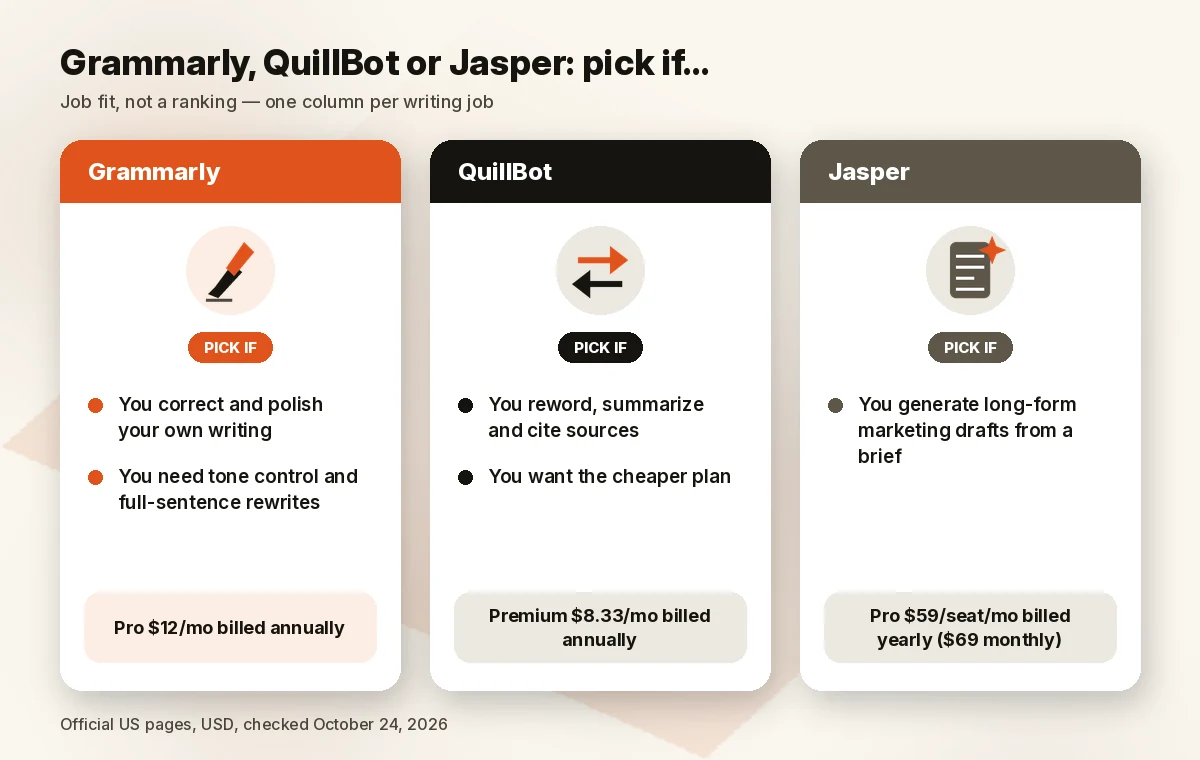
Pick Grammarly if you write original text every day — client emails, proposals, reports — and want corrections, tone control and sentence rewrites wherever you type. Teams that need a shared style guide and brand tone also land here.
Pick QuillBot if you mostly transform text: paraphrase a paragraph several ways, summarize a long article, build citations. It’s also the budget pick at $8.33/mo on annual billing.
Use both if you work in a “rewrite, then polish” flow: reword or summarize in QuillBot, then run the result through Grammarly for grammar and tone. Starting on both free plans costs nothing.
Pick Jasper if you need full drafts rather than edits. Jasper (Check Jasper price) is a marketing content generator with brand voices and knowledge assets. Its Pro plan is $59/seat/mo billed yearly or $69 monthly, with a 7-day free trial, and includes 2 brand voices, 5 knowledge assets and 3 audiences. See our Jasper AI review, the Jasper alternatives list and the Copy.ai vs Jasper comparison. For a wider view of business writing tools, see the best AI writing tool for business.
A deeper look at QuillBot on its own is in our QuillBot review.
How we evaluated
We compared both tools on their official US plans pages and AI-detector pages on October 24, 2026, 01:09–01:13 BRT (USD), plus Jasper’s pricing page for the long-form alternative. We weighted the core job each tool does (correcting versus rewording), free-plan limits, paid pricing across billing periods, plagiarism and AI-detection allowances, and team options. We did not run writing samples or detector scans for this article, so we make no claims about correction quality or detection accuracy beyond what the vendors publish. Ranking follows features and price, not commission.
FAQ
Is Grammarly better than QuillBot?
For grammar, clarity and tone on your own writing, yes — that’s Grammarly’s core product. For paraphrasing, summarizing and citations, QuillBot is built around exactly that, and it’s the cheaper plan on the prices we checked. We haven’t run side-by-side output tests, so we don’t rank the quality of the results. Grammarly’s site menu also lists its own Paraphrasing Tool, Citation Generator and AI Humanizer (checked October 24, 2026), so the gap is about focus, not a missing feature. The better tool depends on whether you mostly correct text or transform it.
Can I use Grammarly and QuillBot together?
Yes. A common flow is to reword or summarize in QuillBot, then polish grammar and tone in Grammarly. Both have free plans, so you can try the combination at no cost before paying for either.
Which is cheaper, Grammarly or QuillBot?
QuillBot, on the prices we read. On October 24, 2026, QuillBot Premium was $8.33/mo billed annually or $19.95 monthly; Grammarly Pro was $12/mo billed annually ($144/yr) or $30 monthly. The $30 figure comes from the checkout data embedded in Grammarly’s plans page; the page itself displays only the $12 annual rate.
Does QuillBot replace Grammarly for grammar?
Partly. QuillBot’s free plan fixes basic grammar errors and Premium adds advanced suggestions and tone insights, but grammar isn’t its main product. If error-free writing in every app is the priority, Grammarly is the closer fit.
Do these tools bypass AI detectors?
Neither vendor promises that, and we don’t either. Both sell AI detectors themselves, both say no detector is 100% accurate, and QuillBot states its detector isn’t meant to make AI-written work pass as human. If you used AI, disclose it under your school’s or employer’s rules.
What’s included in the free plans?
Grammarly Free: corrections, tone detection and 100 AI prompts a month. QuillBot Free: paraphrasing up to 100 words in 2 modes, basic grammar fixes, summaries up to 1,200 words, limited humanizing and limited AI Detector access. Plagiarism checking is paid on both.
Sources
Official pages checked October 24, 2026, 01:09–01:13 BRT (USD):
Next step: Polishing your own writing → Check Grammarly price. Rewording, summarizing and citing on a budget → Check QuillBot price. Generating full marketing drafts → Check Jasper price.