
Affiliate disclosure: AI Tools Vetted is reader-supported. Some links below are affiliate links (marked “sponsored”): if you sign up through them, we may earn a commission at no extra cost to you. Our QuillBot, Grammarly and Rytr links are affiliate links. QuillBot is “a Learneo, Inc. business,” according to the footer of its official Premium page. We found no ownership link between QuillBot and the other two tools. Picks follow official pricing and published features, not commissions.
Prices checked October 26, 2026, at 07:03–07:05 BRT on each vendor’s official US pages (USD, before tax).
Quick take
Verdict in 30 seconds
QuillBot is a paraphrasing and writing-cleanup toolkit: paraphraser, grammar checker, summarizer, plagiarism checker, AI detector and humanizer, plus browser and app add-ons. The free plan is useful for short passages. Premium lifts the limits, and on the discounted annual price it costs about $100 a year (our math: $8.33 × 12).
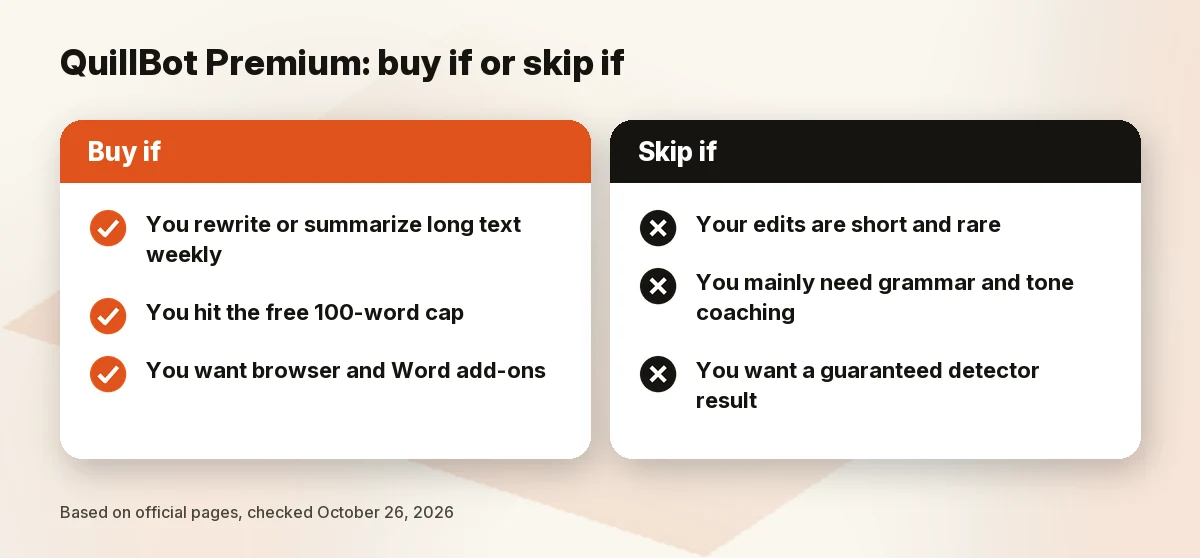
Buy QuillBot Premium if you rewrite or summarize long text every week and the free caps slow you down. Skip it if your edits are short and occasional, or if you mainly want grammar and tone feedback, where Grammarly is the closer match. Try the free plan first, and if you do upgrade, pick monthly billing before you commit to a year: refunds are only given where the law requires them.
What QuillBot is
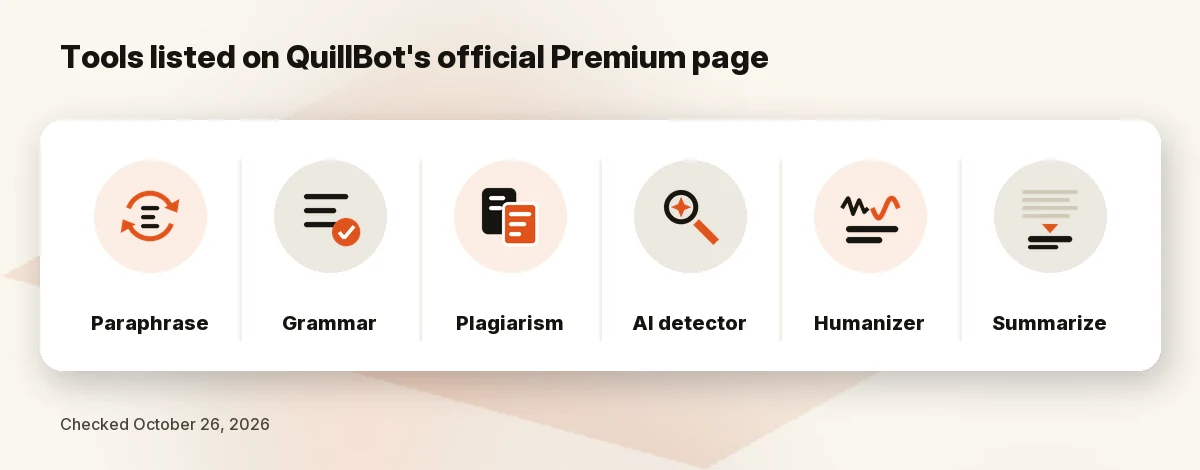
QuillBot is an AI writing assistant built around rewriting. Its Premium page lists the tools that come with a plan: Paraphraser, Grammar Checker, Plagiarism Checker, AI Detector, AI Humanizer and Summarizer, plus browser extensions, apps and keyboards. Per the footer, it is “a Learneo, Inc. business,” which is the ownership we disclose above.
It isn’t a long-form article generator. The Premium page describes it as a way to write “without limits,” but its features are about changing, checking and condensing text you already have. For a broader comparison of writing assistants, see our best AI writing tool for business guide.
QuillBot pricing: Free vs Premium
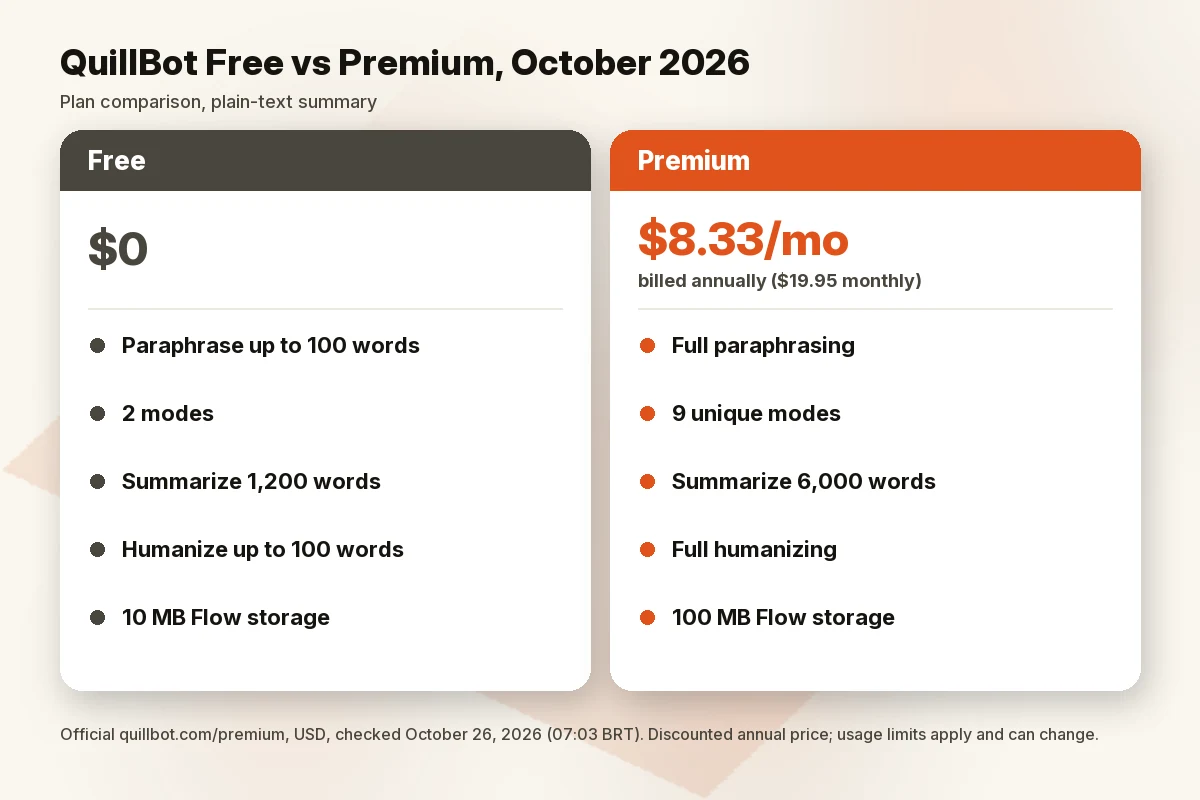
QuillBot’s official Premium page showed three plans on October 26, 2026 (07:03 BRT): Free, Premium and a Team Plan. The Premium card has a “Pay annually — 58% off” switch that is on by default.
| Plan | Price | Notes |
|---|---|---|
| Free | $0 | Paraphrase up to 100 words, 2 modes, basic grammar, humanize up to 100 words with limited usage, basic summaries, limited AI Detector |
| Premium, billed annually | $8.33/mo | Discounted annual rate. The page doesn’t show the yearly total; $8.33 × 12 ≈ $99.96 by our math |
| Premium, billed monthly | $19.95/mo | Switch the annual toggle off |
| Team Plan | Not listed | “Explore Team Plan”: usage metrics, user management dashboard, centralized billing, data control |
Treat the $8.33 rate as a discounted annual price. The 58% label matches our math (8.33 against 19.95), but QuillBot can change both prices, and its help center says it runs periodic sales. The help center also lists a quarterly plan, which the Premium page didn’t show us, and says prices can adjust by location and currency at checkout. Check the checkout screen for the total before paying.
Word limits
Here is what the comparison table on the same page lists for Free versus Premium:
- Paraphrasing: up to 100 words (Free) versus full access (Premium).
- Modes: Standard and Fluency (Free) versus 9 unique modes plus unlimited custom modes. A slide on the same page says “10+ different modes,” so the count is stated two ways.
- Summarizer: 1,200 words versus 6,000 words.
- Humanizer: up to 100 words with limited usage versus full access.
- AI chat: limited usage versus higher usage.
- Flow document storage: 10 MB versus 100 MB.
- Languages and extras: the table lists paraphrasing in 23 languages, translation into 40+ languages, grammar correction in 6 languages and a plagiarism allowance of 25,000 words a month. It doesn’t label these cells clearly by tier, so we only attribute them to the Premium column in general.
The page also notes that “usage limits apply and may vary by surface,” which means the web app, extensions and mobile apps may not behave identically.
A discrepancy to know about: QuillBot’s own pages don’t agree on the free paraphrasing cap. The Premium page and the help center’s Paraphraser article (shown as updated 4 days ago when we read it) say 100 words, while the help center’s general Free vs Premium article (updated 11 days ago) says 125. We use 100, but the limit may differ by surface or change. Test with your own text.
Student pricing
We found no official student discount. QuillBot’s help center says it can’t offer special discounts or free Premium on request, but runs periodic sales and promotions that may include discount codes. The Premium page showed no free Premium trial either, so the free plan is the way to test it. Third-party coupon sites aren’t a source we used.
Cancel and refunds
Per QuillBot’s help center, cancel from Account Details, then the “Your Plan” tab, then “Cancel subscription,” or contact support. If you turn off auto-renewal, Premium continues until the end of the billing period. The Premium page’s FAQ also says you can pause a subscription from your Account page and “won’t be billed for that time.”
On refunds, the help center says refunds are issued only where required by law. It notes a 14-day withdrawal right for consumers in the EEA and UK, and says Apple and Google purchases are refunded by those stores. Its refund article contains stray text referring to a Terms section number that differs from other versions, so read the current Terms of Service at purchase. This is why we suggest monthly billing first.
Other details from the page’s FAQ: you can pay by credit or debit card or PayPal; Premium works on all your devices but only on 10 at a time; teams of 5 or more members get a single invoice with a discount.
Key features
All of this comes from the official Premium page and help center:
- Paraphraser: built-in modes (from Academic to Simple, per the page), custom modes on Premium, and the table also lists an adjustable number of synonyms.
- Grammar and writing suggestions: basic fixes on Free; advanced recommendations and tone insights are listed as Premium upgrades.
- Summarizer: longer inputs and custom summaries on Premium.
- Plagiarism Checker: listed for Premium, with a page claim of checking in 100+ languages.
- AI Detector and AI Humanizer: limited on Free, full on Premium.
- Apps and extensions: Chrome, Edge, macOS, Word, Android and iOS are listed.
QuillBot’s help center says it offers no API, which matters if you wanted to automate it.
Pros and cons
Pros
- Clear published monthly and annual prices, plus a free plan to test with.
- Pause option (no billing for the paused time) and cancel path documented in the help center.
- One subscription covers paraphrasing, grammar, summarizing, plagiarism checks and apps.
- Accepts PayPal as well as cards.
Cons
- Free plan paraphrasing is capped at 100 words (125 in one help-center article).
- Refunds are only issued where required by law.
- No official student discount found, and no Premium trial on the page we saw.
- The low $8.33/mo rate requires paying for a year; month to month it is $19.95.
- Limits vary by surface, and some table cells show icons without labels.
Who should (and shouldn’t) buy QuillBot Premium
Good fit:
- Students, bloggers and non-native English writers who rewrite or summarize long text often.
- Anyone who hits the free word caps weekly.
- People who want one subscription across browser, Word and mobile.
Not a good fit:
- Occasional users: the free plan may be enough.
- Writers who need deep grammar and tone coaching more than rewriting.
- Anyone expecting a detector-proof result: see the FAQ below.
- Anyone who needs a full-length article generator.
QuillBot alternatives
| Tool | Entry price (official) | Main role | Link |
|---|---|---|---|
| QuillBot Premium | $8.33/mo billed annually; $19.95 monthly | Paraphrasing, summaries, grammar | Check QuillBot price |
| Grammarly Pro | $12/mo shown on the plan card (see note) | Grammar, tone, rewrites | Check Grammarly price |
| Rytr Lite | $9/mo monthly; $7.50/mo billed annually | Short-form writing assistant | Check Rytr price |
Grammarly is the closer match for grammar, clarity and tone. Its plans page showed a Free plan with 100 AI prompts a month, and a Pro card at $12 with “Try for free” ($0 payment today, with an email reminder 2 days before the trial ends). The card doesn’t state the billing period, and the page’s own plan data lists $144 for a year, $60 quarterly and $30 monthly, so $12 appears to be the annual rate. Pro lists 2,000 AI prompts and plagiarism and AI-text detection. Confirm the price for your billing choice at checkout.
Rytr is cheaper on paper: its pricing page showed Free (10,000 characters a month), Lite at $9 a month or $7.50 billed annually, Personal at $19 and Pro at $49 on the monthly view, with cancel-anytime access until the period ends. The page has shifted toward a relationships and outreach pitch, though it still lists 40+ writing use cases and 30+ languages, so check that it covers what you need before choosing it as a QuillBot substitute. We didn’t see a paraphraser listed.
How we evaluated
We didn’t run output tests. On October 26, 2026, we read QuillBot’s official Premium page in a browser (the page blocks plain downloads, so we couldn’t compare it with the raw page source) and its help center articles on plans, cancellation, refunds, discounts and Turnitin. We then compared Grammarly’s and Rytr’s official pricing pages. We scored:
- Price: monthly and annual cost, and what the discount depends on.
- Limits: free caps versus Premium, and where pages disagree.
- Fit: which jobs the toolkit covers.
- Billing risk: refunds, pausing and cancelling.
- Honesty about integrity: what the vendor says about proper use.
We didn’t use QuillBot’s user counts or testimonials as evidence.
FAQ
Is QuillBot Premium worth it in 2026?
It’s worth it if you regularly rewrite or summarize text beyond the free caps. At $8.33/mo billed annually it’s inexpensive; for occasional use the free plan may be enough.
How much does QuillBot Premium cost?
On October 26, 2026: $8.33/mo billed annually (labelled “58% off”) or $19.95/mo month to month. Prices can change.
Is the free version of QuillBot enough for students?
For short passages, perhaps. The Premium page lists free paraphrasing up to 100 words (one help-center article says 125), summaries up to 1,200 words and 2 modes. Long essays will hit these caps. We found no official student discount.
QuillBot vs Grammarly: which is better?
They overlap but lean differently. QuillBot centers on paraphrasing, summarizing and plagiarism checks; Grammarly centers on grammar, clarity and tone. Compare the free plans with your own text before paying.
Can QuillBot bypass AI detectors?
We can’t promise that, and we don’t recommend using any tool for it. QuillBot lists its own AI Detector and Humanizer, but we haven’t tested any detection results. Its help center says QuillBot is meant to help you improve your own writing, not to paraphrase someone else’s work and pass it off as yours. Follow your school’s or employer’s rules.
How do I cancel QuillBot Premium?
Go to Account Details, open the “Your Plan” tab and choose “Cancel subscription,” or contact support. Premium continues until the end of the billing period. You can also pause from your Account page.
Verdict
QuillBot Premium is a cheap, focused toolkit for people who rewrite and summarize a lot. Test the free plan on your own text, start monthly if you decide to upgrade, and compare Grammarly if grammar and tone matter more than paraphrasing.
Next step: Check QuillBot price · Check Grammarly price · Check Rytr price
Sources
Official pages checked October 26, 2026, 07:03–07:11 BRT (USD):
- QuillBot Premium (07:03 BRT, annual and monthly toggle states)
- QuillBot help: cancel Premium · refunds · discounts · price (07:03–07:11 BRT)
- QuillBot help: Paraphraser free vs Premium · free vs Premium account · Turnitin (07:03–07:11 BRT)
- Grammarly plans (07:04 and 07:05 BRT) · Rytr pricing (07:04 and 07:05 BRT)