

Disclosure: AI Tools Vetted is reader-supported. Some links below are affiliate links (marked “sponsored”): if you buy through them we may earn a commission at no extra cost to you. Only one tool in our ranking (Descript) has an affiliate link with us; the rest are plain links.
Last updated October 11, 2026 · Prices and features checked October 11, 2026 on each vendor’s official pages (USD).
This guide covers editors: tools that work on footage you already recorded. AI video generators that create videos from a prompt or script are a different job, covered at the end and kept out of the ranking.
Quick picks by job
Comparison table
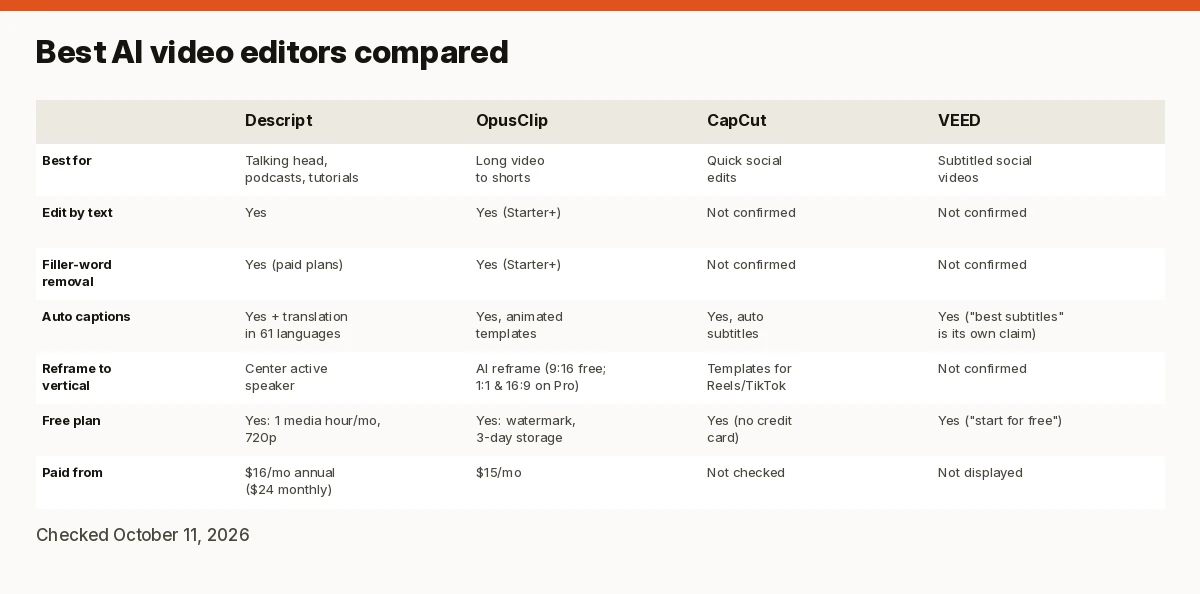
| Descript | OpusClip | CapCut | VEED | |
|---|---|---|---|---|
| Best for | Talking head, podcasts, tutorials | Long video to shorts | Quick social edits | Subtitled social videos |
| Edit by text | Yes | Yes (Starter and up) | Not confirmed | Not confirmed |
| Filler-word removal | Yes (paid plans) | Yes (Starter and up) | Not confirmed | Not confirmed |
| Auto captions | Yes, plus caption translation in 61 languages | Yes, animated templates | Yes, auto subtitles | Yes (“best subtitles” is its own claim) |
| Reframe to vertical | Center active speaker | AI reframe (9:16 on Free/Starter; 1:1 and 16:9 on Pro) | Templates for Reels/TikTok | Not confirmed |
| Free plan | Yes: 1 media hour/month, 720p | Yes: watermark, 3-day storage | Yes (no credit card) | Yes (“start for free”) |
| Paid from | $16/mo annual ($24 monthly) | $15/mo | Not checked | Not displayed |
Sources linked in each section; all checked October 11, 2026.
How we review
We compared these editors using their official pricing and product pages, checked October 11, 2026. We ranked on documented AI editing features (text-based editing, filler and pause removal, captions, reframing), fit for a specific job, the free plan, price and limits. Where a vendor’s page didn’t show a feature or a price in a form we could check, we say “not confirmed” rather than guess. We haven’t run hands-on edits for this guide, so we make no claims about output quality.
Best AI video editors
1. Descript: best overall for talking-head video and podcasts
Descript’s core idea is text-based editing: edit the video by editing a document of its transcript. Transcription works in 25 languages with speaker detection. Paid plans add Remove Filler Words, Studio Sound, Underlord (Descript’s AI co-editor), Eye Contact, Green Screen, clip creation, AI speech with custom voice clones, and caption translation in 61 languages; Business adds dubbing in 30 languages (pricing). Timeline export to Premiere, Final Cut Pro, Pro Tools and others means you can finish elsewhere.
Pricing (checked October 11, 2026, per person per month): Free $0 (60 media minutes/month, 720p export). Hobbyist $16 annual / $24 monthly (10 media hours, 400 AI credits, 1080p, watermark-free). Creator $24 / $35 (30 hours, 800 credits, 4K, stock library). Business $50 / $65 (40 hours, 1,500 credits, Brand Studio, dubbing). AI features draw on monthly AI credits (pricing).
Watch out for: AI credits and media hours are separate limits, so heavy Studio Sound or Underlord use can run out before your hours do. Some cleanup features (shorten word gaps, edit for clarity) are “limited” on lower plans.
2. OpusClip: best for turning long videos into short clips
OpusClip takes a long video and picks clips for you, with a “virality score,” auto hooks, animated captions, AI reframing with a dynamic layout switch, and a screenshare/gameplay layout. From Starter it adds text and timeline editing, pause and filler removal, watermark-free export, and posting to social media; Pro adds 1:1 and 16:9 reframing, moving object tracking, bad-take removal, a social scheduler, export to Premiere Pro and DaVinci Resolve, and team seats (pricing).
Pricing (checked October 11, 2026): Free $0 (watermarked captions, files expire after 3 days, 1080p). Starter $15/mo (storage expires after 29 days). Pro $29/mo (100 GB storage, 2 seats per pack up to 4). Business custom (pricing).
Watch out for: it’s a clipping tool first. For editing a full long video, Descript or a traditional editor fits better. The virality score is OpusClip’s own metric.
3. CapCut: best free option for social edits
CapCut’s site offers a free online editor with cut, trim, transitions and HD export without a watermark, AI auto subtitles in multiple languages, video background removal, voice enhancement and noise removal, and templates for Reels, TikTok and other social formats; no credit card required (CapCut). It also includes generation tools (AI video generator, Video Studio), but we rank it here for editing.
Watch out for: we didn’t verify CapCut’s paid plans or its terms and availability in the US today, so check them before you commit a workflow to it. It doesn’t advertise text-based editing like Descript.
4. VEED: subtitles and brand kits in the browser
VEED positions itself as an AI video creation platform “made for social,” highlighting subtitles (“the best subtitles on the internet” is its own claim) and brand kits that apply your colors, fonts, logos and voice to every video (VEED). Its pricing page didn’t display plan prices or limits in a form we could check today, so we don’t quote them.
Watch out for: VEED’s homepage now leans toward generating videos from an idea, so check that the editing features you need are on the plan you pick.
AI editor vs AI generator
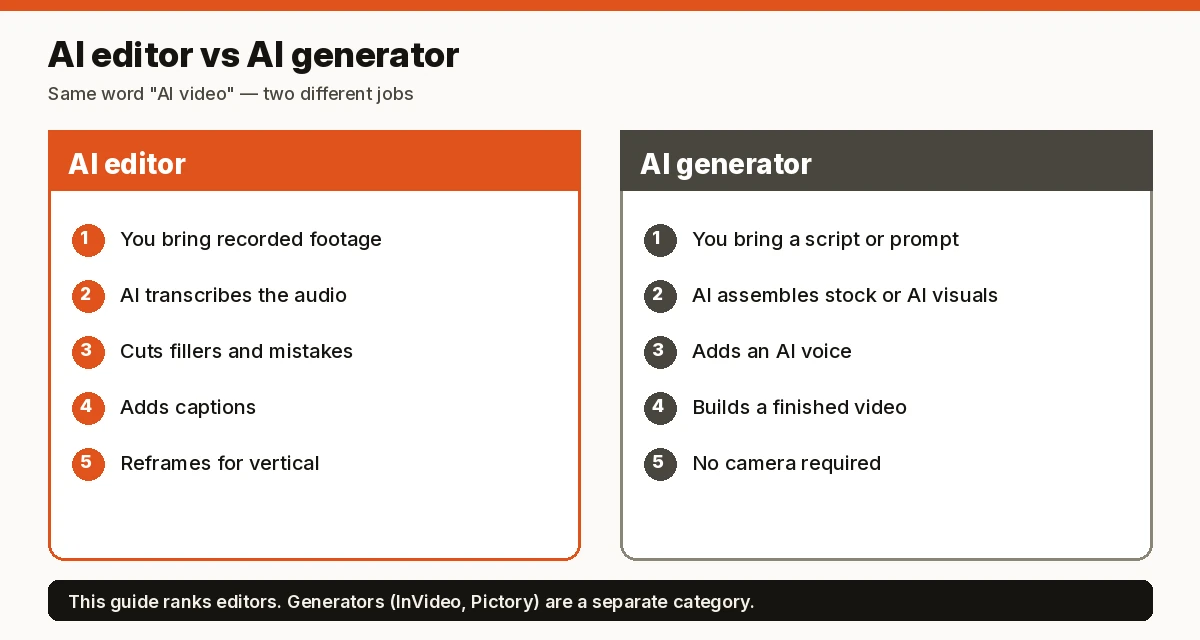
An editor works on footage you recorded: it transcribes, cuts mistakes, adds captions and reframes. A generator builds a video from a script, article or prompt using stock or AI visuals and AI voices. If you don’t film yourself, a generator may be what you want. Two we track, outside this ranking:
- InVideo: script- and prompt-to-video generator. See InVideo
- Pictory: turns scripts, articles and long videos into short videos. See Pictory
We haven’t rechecked their prices for this guide; see our generator coverage for details.
FAQ
What is the best AI video editor? For most creators who film themselves talking, Descript, because it lets you edit video by editing text and removes filler words. For turning long videos into shorts, OpusClip.
Is there a free AI video editor? Yes. Descript, OpusClip and CapCut all have free plans; Descript’s is limited to 1 media hour a month at 720p, and OpusClip’s adds a watermark.
What is the best AI video editor for YouTube? Descript for full talking-head and tutorial videos; OpusClip for cutting them into Shorts.
Can AI edit videos automatically? Partly. These tools automate transcription, filler removal, captions, clip selection and reframing, but you still review the cuts.
What is the best AI video editor for TikTok and Reels? OpusClip if you’re clipping long videos; CapCut for quick free edits with social templates.
Is Descript worth it? If you edit talking-head video or podcasts regularly, Hobbyist ($16/mo annual) covers 10 media hours a month; try the free plan first to see if text-based editing suits you.
Verdict
Descript is the best AI video editor for most people who record themselves: text-based editing, filler removal and Studio Sound with a usable free plan. Add OpusClip if short clips are your growth channel, and use CapCut when you need quick, free social edits.
Sources (official pages, checked on October 11, 2026)
- Descript pricing: https://www.descript.com/pricing
- OpusClip pricing: https://www.opus.pro/pricing
- CapCut: https://www.capcut.com/
- VEED: https://www.veed.io/