
Affiliate disclosure: AI Tools Vetted is reader-supported. Some links below are affiliate links (marked “sponsored”): if you sign up through them, we may earn a commission at no extra cost to you. Our Pictory, InVideo and Synthesia links may be affiliate links. The verdict below follows Pictory’s official pricing page, help center and terms, and we point you to a competitor where it fits you better.
Prices checked October 31, 2026, at 01:08 BRT on each vendor’s official pricing page (USD, before tax).
Quick take
Verdict in 30 seconds
Pictory is worth it if you already have text, such as blog posts, scripts, newsletters or slide decks, and want to turn it into narrated stock-footage videos without filming. Its pricing is now credit-based, and the annual plans are where it gets cheaper: Professional drops from $59 to $35 a month when billed yearly.
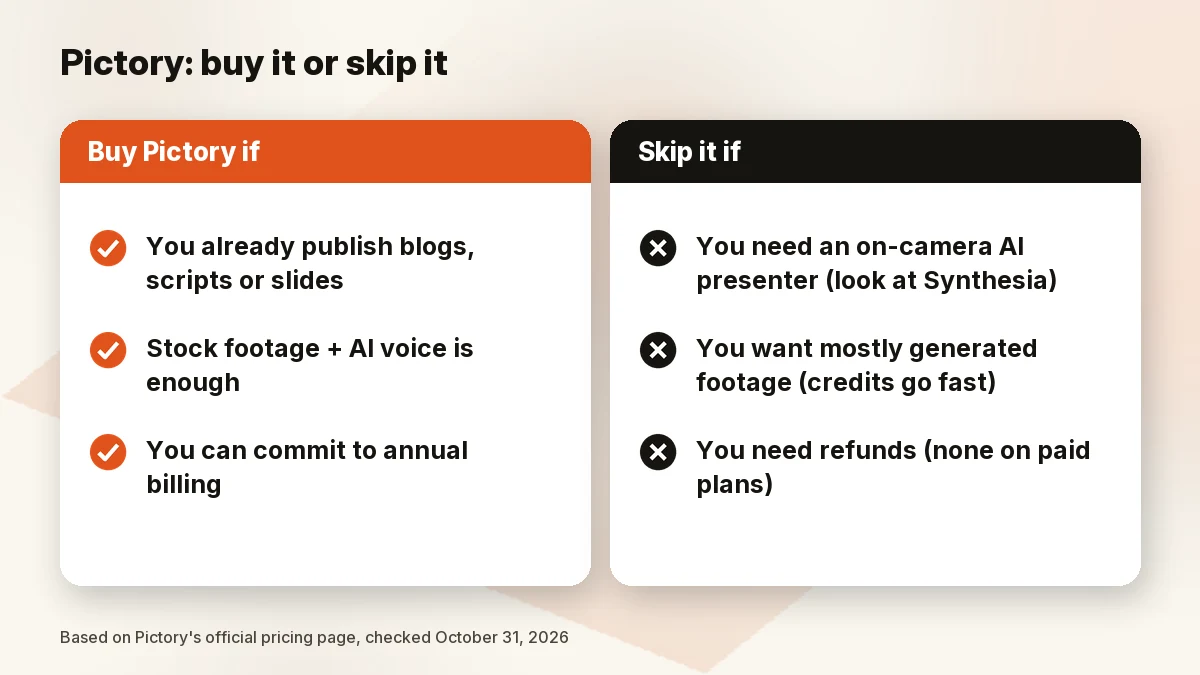
Buy Pictory if you publish written content regularly and want videos from it for YouTube, LinkedIn or Shorts, and you can commit to an annual plan.
Skip it if:
- You want a presenter on camera with lip sync as the core of every video. Synthesia is built for that.
- You want to type a prompt and get a finished video with no source text. InVideo leans harder that way.
- You plan to lean on generative video models (Veo and similar). They burn credits per second, far faster than the plan’s “minutes” suggest (math below).
- You need a refund safety net. Pictory says it doesn’t offer refunds on paid subscriptions.
What Pictory is in 2026
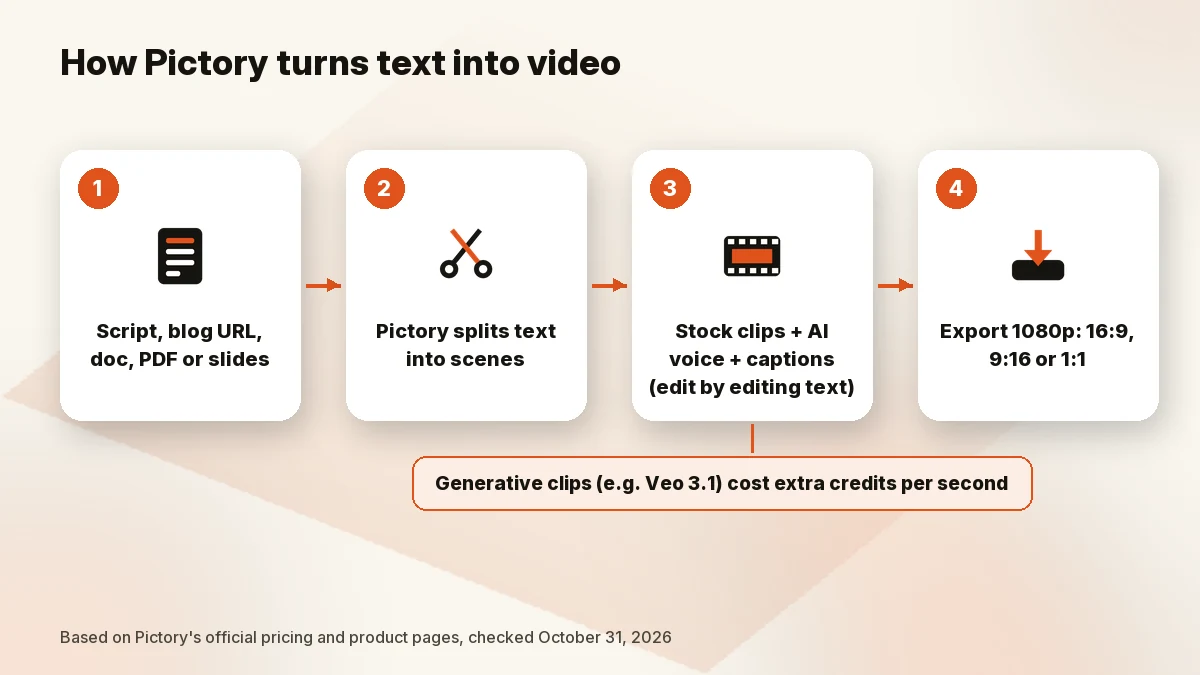
Pictory is a browser-based video editor built around existing text. Its product menu lists Script to Video, URL to Video, Doc to Video, PDF to Video, PPT to Video, Image to Video, Audio to Video and Idea to Video, plus screen and camera recording. The editor lets you edit a video by editing its text, add automatic captions, create highlight clips and auto-summarize long videos.
The output usually combines stock clips with an AI voiceover. Pictory says paid plans include stock media from Getty Images and Storyblocks (5 million+ assets on Starter, 18 million+ on Professional) and “hyper-realistic AI voices from ElevenLabs.” In 2026 the plans also include stock AI avatars and access to generative models such as Google’s Veo 3.1 for clips and Nano Banana or Flux for images, paid for with the same credits.
Pictory pricing: Starter, Professional and Teams
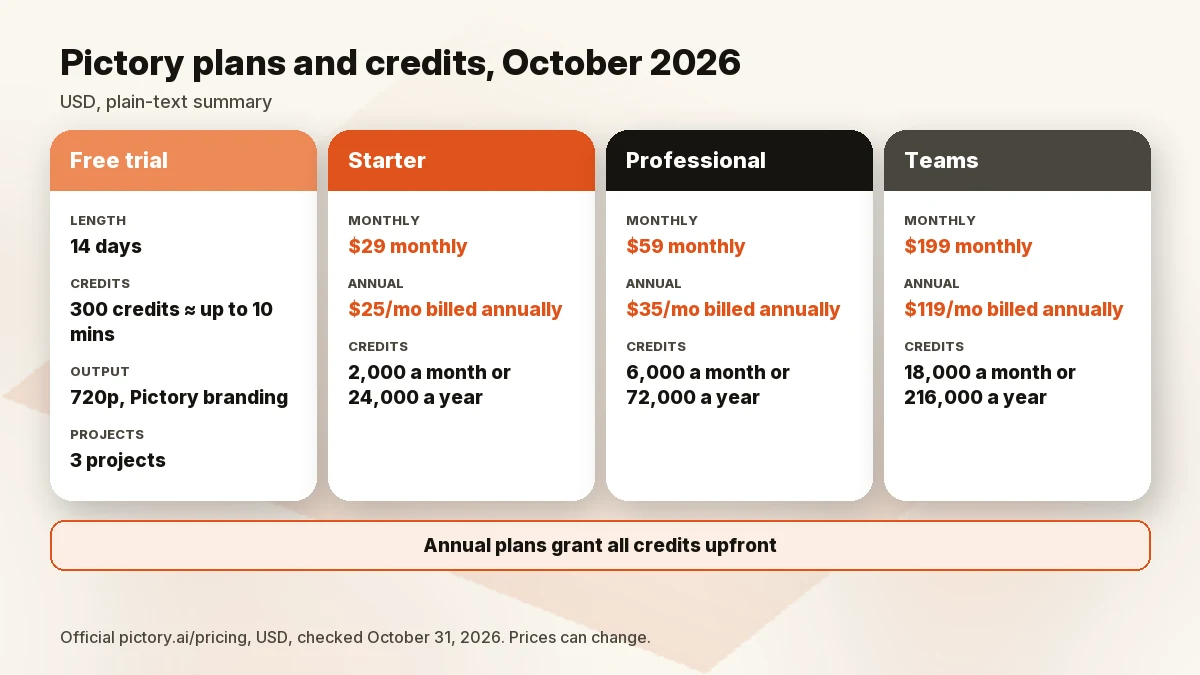
The official pricing page listed these plans on October 31, 2026 (01:08 BRT). Annual prices are per month, billed yearly; the page showed the monthly price struck through as “Was” next to each annual price.
| Free trial | Starter | Professional | Teams | |
|---|---|---|---|---|
| Monthly billing | — | $29/mo | $59/mo | $199/mo |
| Annual billing | — | $25/mo | $35/mo | $119/mo |
| Annual total (our math) | — | $300/yr | $420/yr | $1,428/yr |
| Credits | 300 (up to 10 mins) | 2,000/mo (up to 30 mins) or 24,000/yr (up to 360 mins) | 6,000/mo (90 mins) or 72,000/yr (1,080 mins) | 18,000/mo (300 mins) or 216,000/yr (3,600 mins) |
| Users | — | 1 | — | 3+ |
| Max video from script/URL | 5 mins | 30 mins | 30 mins | 30 mins |
| Video projects | 3 | Unlimited | Unlimited | Unlimited |
| Pictory branding | Included | Not included | Not included | Not included |
| Max resolution | 720p | 1080p | 1080p | 1080p |
| Storage | 500 MB | 5 GB | 20 GB | 100 GB |
| Brand kits | — | 1 | 5 | 10 |
| Voice languages | — | 7 | 29 | 29 |
| Automatic video summary | Included | Not included | Included | Included |
Professional adds cloned avatars, voice clones and custom fonts. Teams adds shared brand assets, collaboration, onboarding and priority support. Enterprise is custom-priced. API access isn’t included in any of these plans; Pictory sells it separately.
One detail stands out: on annual billing, Professional costs $10 a month more than Starter for three times the credits, the 29-language voice set and automatic video summaries. If you’d use Pictory every week, Professional annual is the plan we’d price first.
Credits explained
Pictory’s FAQ says each plan’s credit allowance is “shown alongside the video minutes it covers.” Professional’s 72,000 credits a year, for example, cover 1,080 minutes. Those minutes are Pictory’s estimate for standard videos. Generative models are priced by the second:
- Veo 3.1 (1080p): 20 credits per second without audio, 40 with audio.
- Veo 3.1 Fast (1080p): 10 credits per second without audio, 15 with audio.
- Images: from 0.6 credits (Flux Schnell) to 14 credits (Nano Banana Pro) each, per the model list.
Our math: one minute of Veo 3.1 with audio is 60 × 40 = 2,400 credits, more than Starter’s entire monthly allowance of 2,000. If your plan is mostly stock footage plus AI voice, the minute estimates are the useful number. If you want generated clips, budget by seconds.
The trial ratio is also different: 300 credits for up to 10 minutes, versus 2,000 credits for up to 30 minutes on Starter monthly. Don’t extrapolate paid usage from the trial.
Monthly vs annual
The page advertises “Save up to 40%” on annual billing. Our math by plan: Starter saves about 14% ($300 vs $348 a year), Professional about 41% ($420 vs $708), Teams about 40% ($1,428 vs $2,388). Annual plans also grant all credits upfront, while monthly plans refresh each month. Pictory says annual plans include a consultation with a video-creation expert, which it values at $210.
We didn’t see a Black Friday label on the page at 01:08 BRT on October 31. The “Was” prices are Pictory’s monthly rates shown next to the annual ones. If a holiday promo appears later, check whether it applies to monthly or annual billing.
The 14-day free trial
The trial runs 14 days and includes 300 credits (up to 10 minutes), up to 3 video projects, videos up to 5 minutes from a script or URL, 500 MB of storage and 720p export, with Pictory branding on exports. Pictory’s help center says that after the trial you can’t download videos without a paid plan.
Cancelling
Pictory’s help center says to cancel from My Account → Billing tab → Cancel subscription. Its pricing FAQ adds that you won’t be charged on renewal, and its terms say cancellation takes effect at the end of the current billing period.
Two things to know before you cancel. First, refunds: “We don’t currently offer refunds on paid subscriptions.” Second, your files: “The videos you create are yours to keep, but you must download them before you cancel. Video projects are permanently deleted from the platform when your account is cancelled.”
Key features
From Pictory’s official pricing page and product menu (October 31, 2026):
- Text-to-video inputs: script, blog URL, docs, PDF, PowerPoint (.pptx), images, audio, or an idea prompt.
- Edit video using text: change the video by editing its text.
- Captions: automatic subtitles on all plans, with .srt, .vtt and .txt export.
- Stock library: Getty Images and Storyblocks footage (5M+ on Starter, 18M+ on Professional and Teams), plus 5,000 to 15,000 music tracks by plan.
- AI voices: ElevenLabs voices; voice clones from Professional.
- AI avatars: stock avatars on all paid plans; two custom avatars on Professional, two per user on Teams.
- Formats: 16:9, 9:16 and 1:1, up to 1080p on paid plans.
- Brand kits: 1, 5 or 10 by plan.
Pros and cons
Pros
- Built for repurposing text you already have: URLs, scripts, docs, PDFs and slides.
- Clear credit-to-minute estimates on the pricing page.
- Annual Professional is 41% cheaper than monthly and grants all credits upfront.
- Stock footage and music are licensed for your videos; Pictory’s FAQ says you don’t pay royalties.
- A 14-day trial before you pay anything.
Cons
- No refunds on paid subscriptions.
- Projects are deleted when you cancel, so you must export first.
- Starter lacks automatic video summaries and supports seven voice languages.
- Generative video models consume credits per second and drain small plans fast.
- No API on any standard plan.
Who should (and shouldn’t) buy Pictory
Bloggers and newsletter writers. This is Pictory’s strongest case. Paste a URL, trim the scenes, add a voice, export in three aspect ratios.
Faceless YouTube and Shorts channels. A good fit if your videos are narration over stock footage. Review the footage choices yourself; automated scene matching still needs an editor’s eye. For a wider toolkit, see AI tools for YouTube automation.
Course creators and marketers with slide decks. PPT to Video and brand kits are relevant here; Professional covers multiple brands.
Teams. Teams starts at three users, with shared assets and priority support. Price it against Enterprise if you need SSO.
Skip Pictory if your videos need a talking presenter, if you mostly want generative AI footage, or if you can’t commit without a refund option.
Pictory alternatives
Ordered by what you’re trying to make.
- InVideo (prompt-to-video): better if you want to start from an idea rather than an article. On October 31 (01:08 BRT) its official page listed Plus at $30 per seat a month billed annually ($60 monthly) and Starter at $10 per seat billed annually ($20 monthly). Unused credits don’t roll over. See our full InVideo vs Pictory comparison. Check InVideo price
- Synthesia (AI presenter videos): better for training, onboarding and explainer videos with an on-screen avatar. Its official page listed a free Basic plan (10 minutes of video creation or dubbing; paid plans remove the Synthesia logo), Starter at $19 a month ($9 for the first month) or $14 a month billed yearly, and Pro at $89 a month ($49 first month) or $59 a month billed yearly. Read our Synthesia review and Synthesia vs HeyGen. Check Synthesia price
- Lumen5 and Fliki: both also turn text into video. We haven’t reviewed either, so we’re not linking them yet.
For the full ranking, see our best AI video generators guide.
How we evaluated
We read Pictory’s official pricing page (plans, plan comparison, model credit costs and FAQ), its help center FAQ and its terms of service on October 31, 2026 (01:08 BRT), and saved the pages. We read InVideo’s and Synthesia’s official pricing pages at the same time. Credit and savings calculations are ours and labeled as such. We did not run our own video project in Pictory for this review and don’t claim output quality or render times.
FAQ
Is Pictory worth it in 2026?
Yes, if you turn existing text into stock-footage videos regularly and can pay annually; Professional at $35 a month billed yearly is the best value on the page. If you need avatar presenters or mostly generated footage, look elsewhere.
How much does Pictory cost?
On October 31, 2026: Starter $29 a month or $25 a month billed annually, Professional $59 or $35, Teams $199 or $119. Enterprise is custom.
Does Pictory have a free trial?
Yes. It runs 14 days, with 300 credits (up to 10 minutes), 3 video projects, videos up to 5 minutes and 720p export. After the trial, downloads need a paid plan.
Does Pictory add a watermark?
Pictory’s plan comparison lists “Pictory branding” as included on the free trial and not included on Starter, Professional and Teams. It describes this as whether “a Pictory watermark is added to your exported videos.”
Can I use Pictory videos commercially?
Pictory’s FAQ says it “has already licensed all the video clips, music and voiceovers for use in your videos,” so you don’t pay royalties, and its terms say it doesn’t claim ownership of your content. The terms also say stock assets can only be used inside your videos, not on their own. For specific commercial uses, read the current terms.
Pictory vs InVideo: which is better?
Pictory is the better fit when you start from a blog post, script or slides. InVideo is the better fit when you start from a prompt. See our InVideo vs Pictory comparison.
How do I cancel Pictory?
Go to My Account → Billing tab → Cancel subscription. Download your videos first: projects are permanently deleted when the account is cancelled, and paid plans aren’t refunded.
Bottom line
Pictory is a practical tool for one job: turning text you already have into narrated stock-footage videos. The annual Professional plan ($35 a month) is where the price makes sense. Use the 14-day trial to run your own content through it, export what you make, and remember that generative clips cost far more credits than the “minutes” on the pricing page suggest.
Last updated: October 31, 2026.
Sources
Official pages checked October 31, 2026, 01:08 BRT (USD):
- Pictory pricing (plans, comparison, credit costs, FAQ)
- Pictory help center: FAQ – Pricing and Plans (dated June 26, 2025)
- Pictory terms of service
- InVideo pricing
- Synthesia pricing