
Affiliate disclosure: AI Tools Vetted is reader-supported. Some links below are affiliate links (marked “sponsored”): if you sign up through them, we may earn a commission at no extra cost to you. Our InVideo links are affiliate links. HeyGen links are plain links — we earn nothing from them. The verdict follows official pricing, documented features and terms, not commissions.
Prices and terms checked October 23, 2026, at 01:08–01:12 BRT on each vendor’s official US pricing, help or terms page (USD).
Verdict in 30 seconds
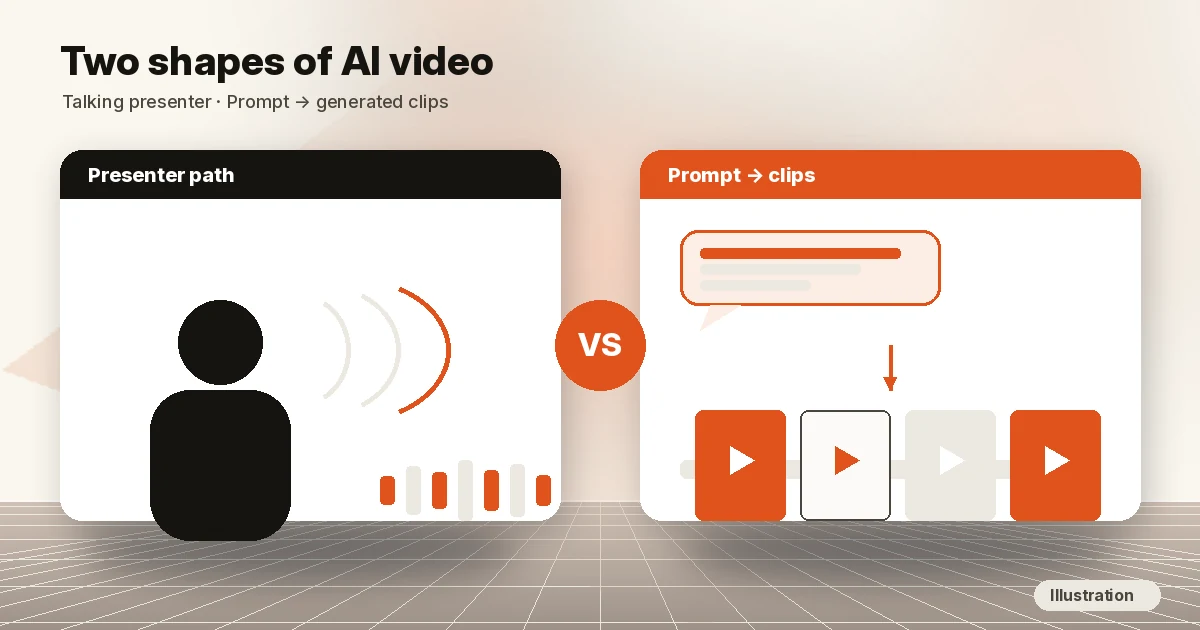
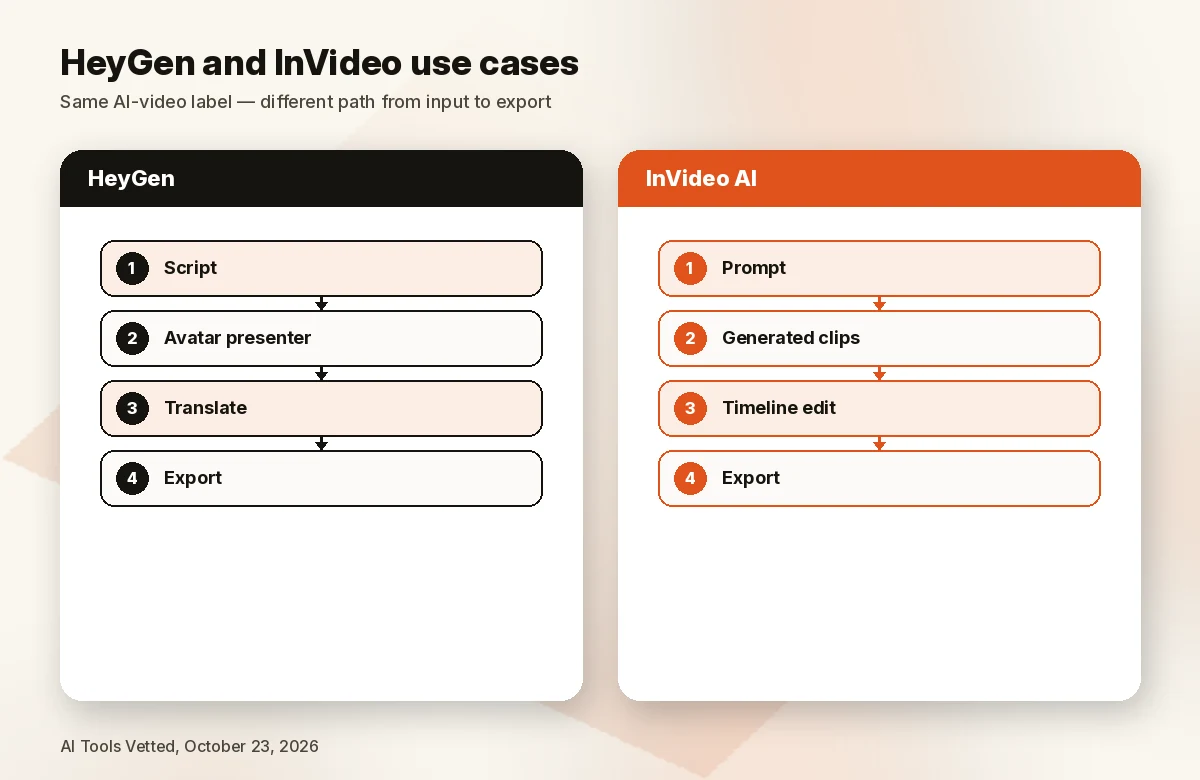
HeyGen and InVideo both sell “AI video,” but they solve different problems. HeyGen is built around avatars: a digital person who speaks your script. InVideo is built around generation plus editing: you prompt, it produces clips with models such as Seedance, and you finish on a timeline. The overlap is growing, so decide by what is on screen most of the time.
For the wider landscape, see our hub on best AI video generators.
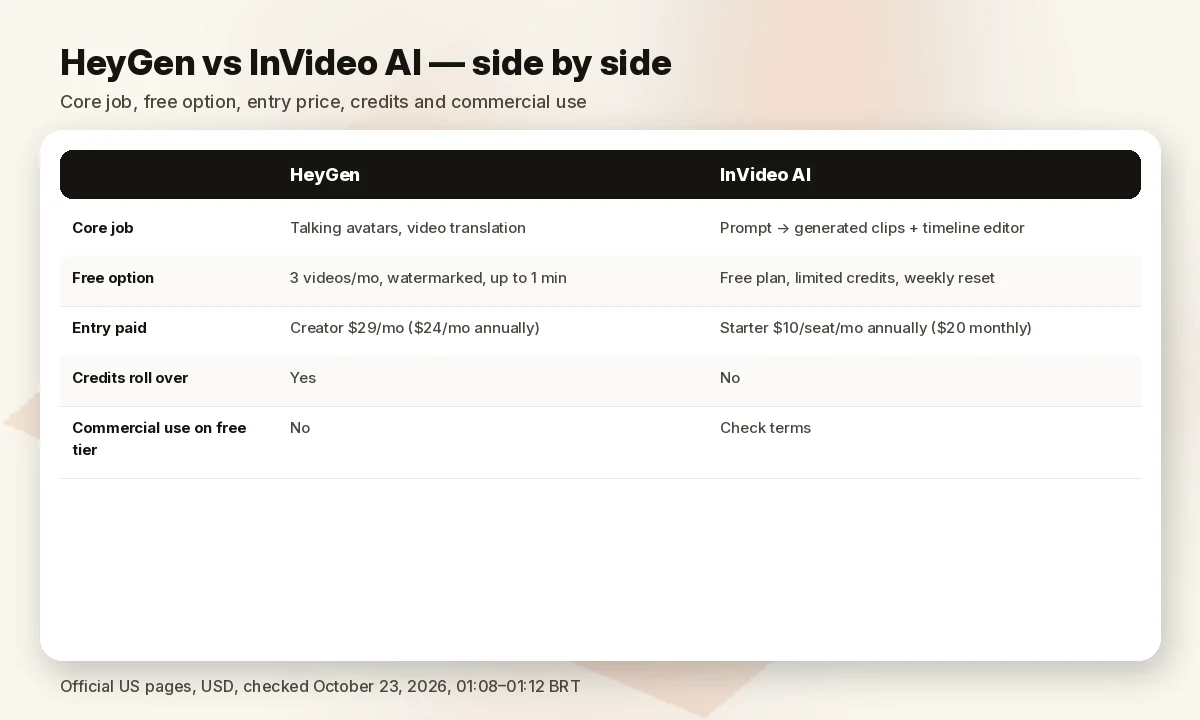
Side-by-side table
| HeyGen (plain link) | InVideo AI (Check InVideo price) | |
|---|---|---|
| Core job | Talking avatars, custom “video avatar” of you, video translation | Prompt / agent → generative clips + timeline editor |
| Free option (Oct 23, 2026) | Free: 3 videos/mo, watermarked, up to 1 minute each | Free plan with limited credits, weekly reset — help |
| Entry paid | Creator $29/mo, or $24/mo billed annually (FAQ) | Starter $10/seat/mo billed annually ($20 monthly) |
| Next tier | Pro from $49/mo (1,000 credits) | Plus $30/seat/mo billed annually (2,000 credits/seat) |
| Team tier | Business $149/mo + $20/seat/mo | Max $75/seat/mo billed annually (5,000 credits/seat) |
| Credits roll over? | Yes — monthly plans one extra month; annual plans until renewal | No — unused credits don’t roll over |
| Max video length | Free 1 min; Creator/Pro 30 min; Business 60 min | Not stated on the pricing page |
| Export resolution | Creator up to 1080p; Pro/Business up to 4K | Not stated on the pricing page |
| Commercial use on free tier | No (Free-plan output is non-commercial per terms) | Terms grant a commercial licence to Outputs (Licensed Content keeps its own licence) |
| Best for | Presenter videos, training, multilingual explainers | Original generative B-roll, edited YouTube and social videos |
Sources under Sources. “Not stated” means we did not find it on the official page on October 23, 2026 — not that the feature is missing.
Use cases: avatars vs prompt-to-video
HeyGen — when a presenter carries the video
HeyGen’s pricing page is organized around avatar engines (Avatar III and IV, plus limited Avatar V on Creator), a Custom Video Avatar with your own voice and likeness, HeyGen Voice text-to-speech and “175+ languages and dialects” on paid plans. Business adds a shared workspace, SCORM export and LMS integrations. That fits training videos, multilingual product explainers and creators who want a human-looking host without filming.
HeyGen also lists generative video (Video 1; on Pro, Seedance 2.5, Veo 3.1 and Nano Banana), but avatars remain the center of the product.
InVideo AI — when the footage itself is the product
InVideo’s pricing page sells seats and credits across generative models (Seedance 2.0 Fast and Mini on Starter; Seedance 2.5 and full Seedance 2.0 on Plus and Max; Nano Banana Pro images) plus the Invideo editor — timeline, multiplayer editing, color, audio and 3D tools — on every plan. Starter is limited to the “Agent Two Lite” agent; Plus and Max add Pro and Ultra. That fits YouTube or social videos built from generated B-roll, and small teams sharing one editor.
Faceless channels with generated visuals lean InVideo; a host without filming leans HeyGen.
Price and plans
HeyGen
| Plan | Price (Oct 23, 2026) | What the page lists |
|---|---|---|
| Free | $0 | 3 videos/mo, watermarked; up to 1 min each; 1 custom video avatar; 30+ languages |
| Creator | $29/mo ($24/mo billed annually, per FAQ) | 600 credits; 1080p export; branding removed; up to 30 min per video; 175+ languages |
| Pro | from $49/mo | 1,000 credits; 4K export; Seedance 2.5; Veo 3.1; up to 30 min per video. Pro tiers scale to 100,000 credits at $4,300/mo |
| Business | $149/mo + $20/seat/mo | 1,500 credits; up to 60 min per video; SAML/SSO; SCORM; brand kit |
| Enterprise | Contact sales | Custom |
Per HeyGen’s FAQ, monthly-plan credits roll over one month; annual-plan credits accumulate until renewal; they expire on cancellation.
InVideo AI
| Plan | Billed annually (Oct 23, 2026) | Credits / seat / month | Notes from the page |
|---|---|---|---|
| Free | $0 | Limited, weekly reset | No card needed (help) |
| Starter | $10/seat/mo ($20 monthly) | 400 | Up to 5 seats; Agent Two Lite only; 100 premium stock; 200 GB |
| Plus | $30/seat/mo | 2,000 | Up to 10 seats; Lite, Pro, Ultra agents; Seedance 2.5 1080p |
| Max | $75/seat/mo | 5,000 (sliders to 10,000 / 15,000) | Up to 20 seats; 500 premium stock; 2,000 GB; lowest cost per credit |
InVideo’s FAQ says credits pay for creation, not downloads, unused credits don’t roll over, and credit costs can change without notice. Monthly pricing was shown only for Starter.
Cheaper isn’t the same as better value: InVideo Starter undercuts HeyGen Creator on sticker price, but its credits expire monthly while HeyGen’s roll over. Price the job you actually do.
Commercial use and AI disclosure
HeyGen. Its terms split by plan. On Creator, Pro and Business, HeyGen “does not restrict your ability to use User Output for your own purposes (including for commercial purposes).” On the Free plan, output is licensed “solely for personal, non-commercial, and internal evaluation purposes” and “may not be sold, sublicensed, redistributed, monetized, or used in connection with commercial activities, advertising, client work.” The terms also bar presenting output as “entirely human generated” and require AI disclosure where the law requires it.
In plain terms: do not put HeyGen Free videos on a monetized channel or in a client deliverable.
InVideo. InVideo’s terms (last updated August 12, 2026) grant “a perpetual, irrevocable, worldwide, royalty-free, non-exclusive licence to use, reproduce, modify, distribute, perform, display and commercialise Outputs,” and say the licence survives cancellation. Outputs that include stock (“Licensed Content”) remain “subject to the licence terms applicable to that Licensed Content.” The terms we read did not separate free from paid for this clause — confirm in your account before running ads.
YouTube. Disclose realistic AI-generated or altered content (a real person saying something they didn’t, or a realistic scene that didn’t happen). Scripts, thumbnails and captions made with AI don’t need the label. Disclosure alone won’t limit reach or monetization, but consistent non-disclosure can lead to penalties, including YPP suspension. A realistic avatar presenting as a human is the clearest case for AI use in YouTube Studio. YouTube’s monetization policies also list AI personas on sensitive topics (for example an AI “doctor” or adviser) as not monetizable.
Who should pick which
| You need… | Choose |
|---|---|
| A talking presenter without filming yourself | HeyGen (plain link) |
| Generated B-roll and scenes, edited on a timeline | InVideo AI (Check InVideo price) |
| The cheapest paid entry point | InVideo AI Starter ($10/seat/mo annually) |
| Commercial use on a free tier | Neither — HeyGen Free is non-commercial; treat InVideo Free as a trial |
Can you use both? Yes — HeyGen for explainer avatars, InVideo for B-roll — but that doubles the bill. Most faceless YouTube creators do better with voiceover plus generated visuals (InVideo); training and corporate content often prefer an avatar (HeyGen).
Also see Synthesia vs HeyGen, InVideo vs Pictory, best AI video generator for YouTube and best AI video editors.
Pros and cons
HeyGen
- ✅ Avatar-first: 500+ stock presenters on Free (700+ on paid), custom video avatar, voice cloning
- ✅ Translation into 175+ languages and dialects on paid plans
- ✅ Credits roll over (one month on monthly; until renewal on annual)
- ❌ Free plan is watermarked, 1-minute videos, and non-commercial
- ❌ 4K and Seedance 2.5 require Pro ($49+/mo)
InVideo AI
- ✅ Lowest paid entry ($10/seat/mo billed annually)
- ✅ Full timeline editor, color, audio and 3D on every plan
- ✅ Multi-model generative access (Seedance, Nano Banana Pro) in one bill
- ❌ Unused credits don’t roll over
- ❌ Starter excludes Seedance 2.5 and full Seedance 2.0
- ❌ Watermark, export resolution and video length limits aren’t stated on the pricing page
How we evaluated
We read both official US pricing pages, InVideo’s free-plan help article, both terms of service and YouTube’s AI-disclosure and monetization help on October 23, 2026, 01:08–01:12 BRT (USD). We ranked by use case first, then price, credits, rollover and commercial terms. We did not generate test videos. Commissions don’t decide the verdict — HeyGen is a plain link and still wins its use cases.
FAQ
Is HeyGen better than InVideo?
For talking avatars, custom presenters and translation, yes. For generated footage edited on a timeline, InVideo is the better fit. They overlap less than the “AI video” label suggests.
Which is cheaper, HeyGen or InVideo?
InVideo Starter is $10/seat/mo billed annually ($20 monthly); HeyGen Creator is $29/mo or $24/mo billed annually. InVideo is cheaper to start, but its credits expire monthly, while HeyGen’s roll over.
Can I use both HeyGen and InVideo for YouTube?
Yes. Use paid plans for monetized videos — HeyGen’s Free-plan output is non-commercial under its terms. Follow YouTube’s reused/inauthentic-content and AI-disclosure rules regardless of tool.
Do I need to disclose AI video on YouTube?
If it looks realistic — a realistic avatar, an AI-altered real person or a realistic scene that didn’t happen — YouTube requires you to mark it under “AI use” in YouTube Studio. Fully non-realistic content and AI help with scripts or thumbnails don’t need disclosure.
Sources
Official pages checked October 23, 2026, 01:08–01:12 BRT (USD):
- HeyGen pricing (plain)
- HeyGen terms of service — sections on paid-plan and Free-plan output
- InVideo pricing
- InVideo help: can I use invideo AI for free? (updated July 28, 2026)
- InVideo terms and conditions (last updated August 12, 2026)
- YouTube Help: disclosing use of GenAI content
- YouTube channel monetization policies
Next step: Generated footage and a timeline editor → Check InVideo price. A talking presenter or multilingual explainer → HeyGen (plain link).