
Affiliate disclosure: AI Tools Vetted is reader-supported. Some links below are affiliate links (marked “sponsored”): if you sign up through them, we may earn a commission at no extra cost to you. Our InVideo, ElevenLabs and Pictory links are affiliate links. Claude, ChatGPT, Canva and YouTube’s own tools are plain links — we earn nothing from them, and we recommend them where they fit better. The picks follow official pricing, features and YouTube’s published policies, not commissions.
Prices and policies checked October 23, 2026, at 01:08–01:12 BRT on each vendor’s official US pricing page and on YouTube Help (USD).
Quick picks by task
“YouTube automation” gets sold as a push-button income machine. It isn’t — and YouTube’s own monetization rules make that explicit. What AI tools can do is cut the hours you spend on each stage: drafting a script, recording a voiceover, assembling visuals and testing thumbnails. This guide picks tools by task, then shows the rules that decide whether the channel can earn at all.
No income promises here: whether a channel earns depends on originality, audience and YouTube’s review — not on the tool stack.
What “YouTube automation” really means
In practice, it means a faceless or low-camera workflow where AI handles production steps and you handle the parts YouTube values: the idea, the research, the point of view and the final edit.
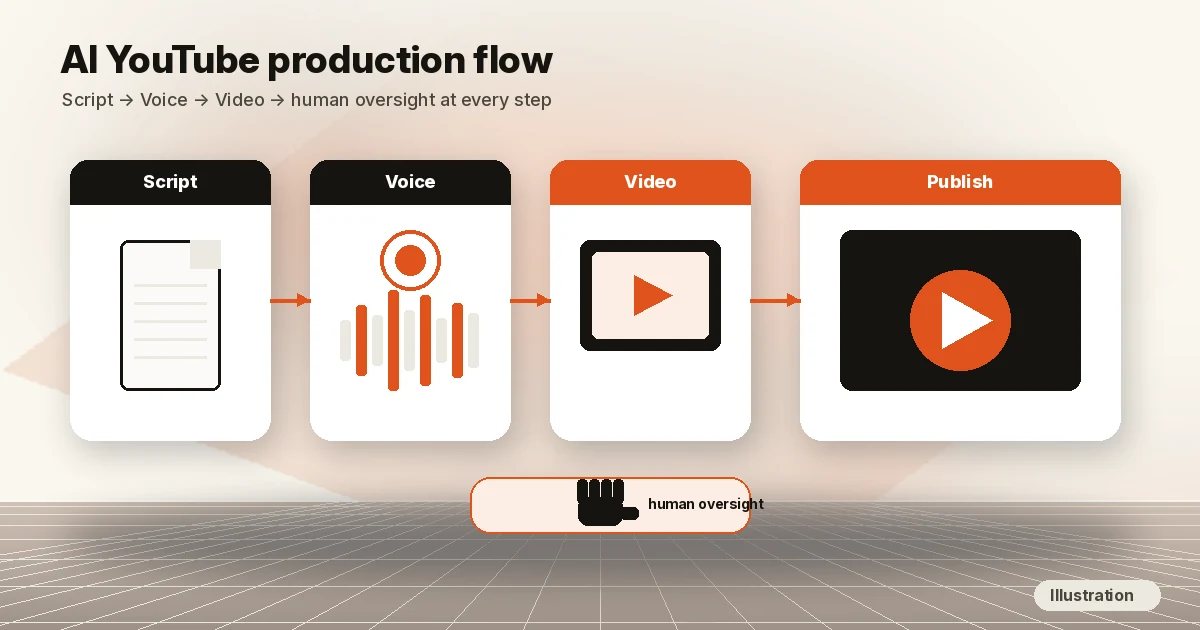
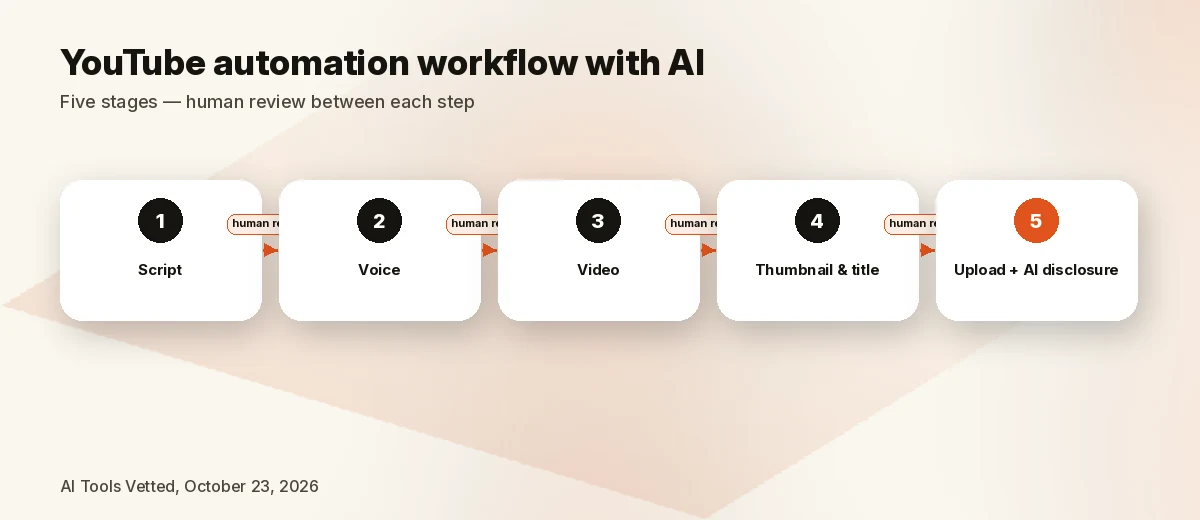
A workable pipeline looks like this:
- Script — you research; an AI assistant helps outline and tighten.
- Voice — your own voice, or an AI voice (cloned only from your own voice or with documented consent).
- Video — generated clips, licensed stock or a script-to-video tool, assembled on a timeline.
- Thumbnail and title — designed, then compared with YouTube’s native tool.
- Upload — with the AI use disclosure set correctly when it applies.
What YouTube does not monetize is the other version: templated, mass-produced uploads with no original insight. More on that below.
Tools by task at a glance
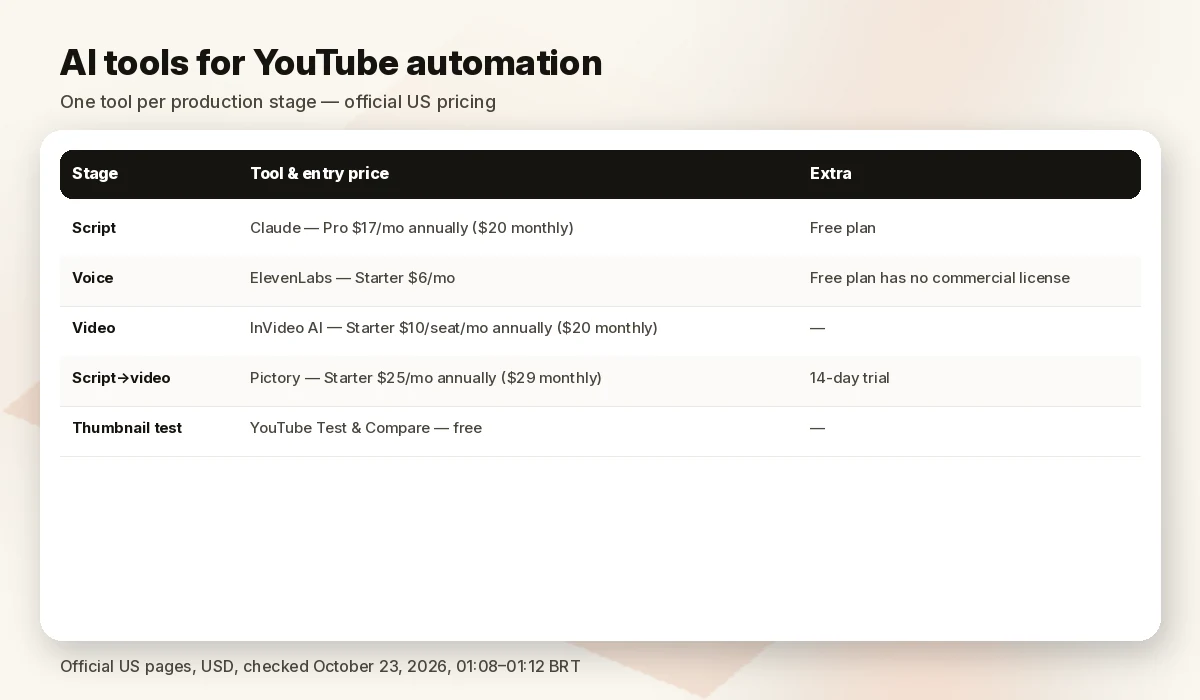
| Task | Tool | Entry price (Oct 23, 2026) | Free option | Why it fits |
|---|---|---|---|---|
| Script | Claude (plain) | Pro $17/mo billed annually, $20 monthly | Free plan | Outlining, rewriting, fact-check prompts |
| Script | ChatGPT (plain) | Not quoted (price not captured on Oct 23) | Free plan | Same job; pick the one you already use |
| Voice | Check ElevenLabs price | Starter $6/mo | Free (no commercial license) | Commercial license and voice cloning from Starter |
| Video | Check InVideo price | Starter $10/seat/mo billed annually ($20 monthly) | Free, limited credits, weekly reset | Generative clips + full timeline editor |
| Script → video | Check Pictory price | Starter $25/mo billed annually ($29 monthly) | 14-day trial (branded) | Script, blog URL or slides into stock-based video |
| Thumbnail test | YouTube Test & Compare | Free (built in) | — | Up to 3 thumbnails/titles compared by watch time |
Sources at the end. Credits and promos change often; confirm in checkout.
Script
The script is where originality lives, so this is the stage to automate least. Use an AI assistant to outline, restructure and tighten — not to produce the finished narrative from nothing.
- Claude — Free plan; Pro is $17/mo billed annually ($200 upfront) or $20 billed monthly, per Claude pricing.
- ChatGPT — has a free plan and paid tiers; we didn’t capture current US prices on October 23, so we don’t quote them.
Neither is an affiliate of ours, and either is a better scripting tool than the “script” buttons inside video generators. YouTube itself treats AI help with an outline, script, thumbnail or title as production assistance that does not need an AI disclosure.
Rule of thumb: bring the research and the angle yourself; let AI handle structure and clarity. That is also what YouTube’s monetization policy rewards (below).
Voice
ElevenLabs — best for commercial AI voiceover
ElevenLabs’ official pricing on October 23, 2026 (monthly billing; annual billing is priced at ten months) — Check ElevenLabs price:
| Plan | Price | Credits / month | Key unlocks |
|---|---|---|---|
| Free | $0 | 10,000 | No commercial license |
| Starter | $6/mo | 30,000 | Commercial license, Instant Voice Cloning, Dubbing Studio |
| Creator | $22/mo | 121,000 | Professional Voice Cloning |
| Pro | $99/mo | 600,000 | Higher volume |
Text-to-speech costs about 1 credit per character, and paid-plan credits roll over for up to two months. The page also showed first-month discounts on Starter (until Nov 1) and Creator — check at checkout rather than planning around a promo.
The important line for YouTube: the Free plan has no commercial license, so a monetized channel needs Starter or above. Clone a voice only if it is yours or you have the speaker’s documented consent. YouTube notes that cloning your own voice for a voiceover does not by itself require an AI disclosure.
Honest alternative: if you’re comfortable on mic, your own recorded voice is free and is the strongest originality signal you can send. Deeper picks: best AI voice generator for YouTube, our ElevenLabs review and best text-to-speech apps.
Video
InVideo AI — best for generated visuals plus a real editor
InVideo’s official pricing (Check InVideo price) sells seats and credits across generative models, with the timeline editor, color, audio and 3D tools on every plan:
- Starter: $10/seat/mo billed annually ($20 monthly) — 400 credits/seat/mo, Agent Two Lite only, Seedance 2.0 Fast and Mini.
- Plus: $30/seat/mo billed annually — 2,000 credits/seat/mo, Seedance 2.5 and 2.0, Lite/Pro/Ultra agents.
- Max: $75/seat/mo billed annually — 5,000 credits/seat/mo (higher tiers available).
A free plan exists with limited credits that reset weekly. Unused paid credits don’t roll over. Its terms grant you a licence to commercialise outputs; stock inside them stays under that stock’s own licence.
Best for: explainer and storytelling channels that need visuals of scenes and objects — paired with your own script and voice.
Pictory — best for turning a script or article into a video
Pictory’s official pricing on October 23, 2026 — Check Pictory price:
| Plan | Billed annually | Billed monthly | Credits | Video minutes |
|---|---|---|---|---|
| Starter | $25/mo | $29/mo | 24,000/yr | up to 360/yr |
| Professional | $35/mo | $59/mo | 72,000/yr | up to 1,080/yr |
| Teams | $119/mo | $199/mo | 216,000/yr | up to 3,600/yr |
The 14-day trial gives 300 credits, 3 videos (up to 5 minutes, 720p) with Pictory branding; paid plans remove it and export 1080p. Stock comes from Storyblocks and Getty, which Pictory says is already licensed, and voices include ElevenLabs. Annual credits are granted upfront and Pictory’s FAQ says it doesn’t offer refunds — start monthly if unsure.
Watch out: YouTube names “image slideshows or scrolling text with minimal or no narrative” as non-monetizable. Pictory works best when your own narration and argument drive the video, not when stock clips are stitched over a pasted article.
Want them head to head? Read InVideo vs Pictory, our best AI video generator for YouTube, the wider best AI video generators hub and best AI video editors.
Thumbnails
Here we don’t recommend a paid AI tool first. Design thumbnails in whatever editor you already use — Canva has a free plan, and InVideo’s plans include Nano Banana Pro image generations — then let YouTube’s own Test & Compare pick the winner.
Per YouTube Help, you can test up to 3 titles and/or thumbnails per video; the winner is chosen by watch time share, and results usually come within two weeks. It runs in YouTube Studio on desktop, requires advanced features, and isn’t available for Shorts, made-for-kids, mature or private videos. YouTube recommends thumbnails of at least 1280×720.
AI-made thumbnails don’t need the AI disclosure, per YouTube’s GenAI help page — but a misleading thumbnail is still a problem under YouTube’s policies.
YouTube’s rules on AI and monetization
These are the rules that decide whether an “automated” channel earns. All quotes are from YouTube Help, checked October 23, 2026.
1. Disclose realistic AI content
YouTube requires creators to disclose realistic content that is meaningfully altered or synthetically generated — for example a real person appearing to say something they didn’t, altered footage of real events or places, or a realistic scene that never happened. You set it in YouTube Studio under AI use.
You don’t need to disclose clearly unrealistic content, minor edits, or AI help with scripts, outlines, thumbnails, titles and captions. YouTube states that disclosing AI content alone “won’t limit a video’s audience or impact its eligibility to earn money,” but creators who consistently fail to disclose may face penalties, including removal of content or suspension from the YouTube Partner Program.
2. “Inauthentic content” isn’t monetizable
Since July 15, 2025, YouTube’s monetization policies call the old “repetitious content” rule inauthentic content. To be monetized, content must be original and not mass-produced, generic or repetitive. Examples YouTube lists as not monetizable include:
- “AI-generated content made with generic or unoriginal templates giving the impression of mass production without adding the creator’s original, authentic insights.”
- Image slideshows or scrolling text with minimal or no narrative.
- Readings of material you didn’t create.
YouTube explicitly allows using AI to edit scripts or generate unique visuals for a well-researched narrative. The line is original insight, not whether AI was involved.
3. Reused content is judged channel-wide
The reused-content policy applies to the whole channel, not single videos — a channel built on low-effort uploads can lose monetization even if a few videos are good.
4. No AI “expert” personas on sensitive topics
YouTube’s policy lists AI personas related to sensitive topics — for example an AI “doctor” or a financial or legal adviser persona — as not monetizable. Faceless finance or health channels with an AI “doctor” or “advisor” are exactly what this targets.
How we evaluated
We picked one tool per production task and checked each on its official US pricing page, help center or terms on October 23, 2026, 01:08–01:12 BRT (USD), plus YouTube Help pages on AI disclosure, channel monetization and Test & Compare. We weighted commercial-use terms, free-option limits, credit rollover and fit with YouTube’s originality rules. We did not run test videos for this article, so we make no claims about output quality, speed or channel results. Non-affiliate options (Claude, ChatGPT, your own voice, YouTube’s native testing) are recommended where they fit better.
FAQ
Can you monetize an AI YouTube channel?
Yes, if the content is original and adds your own insight. YouTube’s policies allow AI for scripts and unique visuals, but not templated, mass-produced AI content, slideshows with minimal narrative, or AI personas on sensitive topics. Monetization is never guaranteed.
Do I have to disclose AI content on YouTube?
Only when it looks realistic — real people saying things they didn’t, altered real events, or realistic scenes that didn’t happen. AI help with scripts, thumbnails, titles and captions, or cloning your own voice for narration, doesn’t require it.
What’s the best free AI tool for YouTube?
There’s no single one. Claude and ChatGPT have free plans for scripting, InVideo has a free plan with weekly credits, and YouTube’s Test & Compare is free. Note ElevenLabs’ free plan has no commercial license, so it isn’t suited to a monetized channel.
Is faceless YouTube automation allowed?
Faceless channels are allowed. What YouTube won’t monetize is inauthentic content: mass-produced, repetitive or template-driven uploads without original insight. A faceless channel with your own research, script and narration is a different thing.
Sources
Official pages checked October 23, 2026, 01:08–01:12 BRT (USD):
- InVideo pricing · InVideo free plan help (updated July 28, 2026) · InVideo terms (updated August 12, 2026)
- ElevenLabs pricing
- Pictory pricing
- Claude pricing
- YouTube Help: disclosing use of GenAI content
- YouTube channel monetization policies
- YouTube Help: Test & Compare thumbnails and titles
Next step: Start with the video stage → Check InVideo price. Need a commercial-licensed voice first → Check ElevenLabs price. Turning a finished script or blog into stock-based video → Check Pictory price.